Ambition, at a pace you can keep.
Most planners count what you did. Qasd asks a better question: is it getting you there? Every task hangs from a goal, every day becomes blocks you can finish, and every week ends with a review that tells the truth, even when the truth is a dash.
The name comes from a hadith: «والقصدَ القصدَ تبلغوا»
. Keep a steady pace, and you will arrive. Al-Bukhari 6463.
Three things it does well
-
Progress you can believe.
Because Qasd never fills a gap with a guess. A week without data shows a dash, not a made-up 0%, so every number you see is one you earned.
-
A day that fits in a day.
Because plans are timed blocks, not wishful lists. When the day runs out, Qasd asks what to move instead of quietly piling it onto tomorrow.
-
One thing at a time.
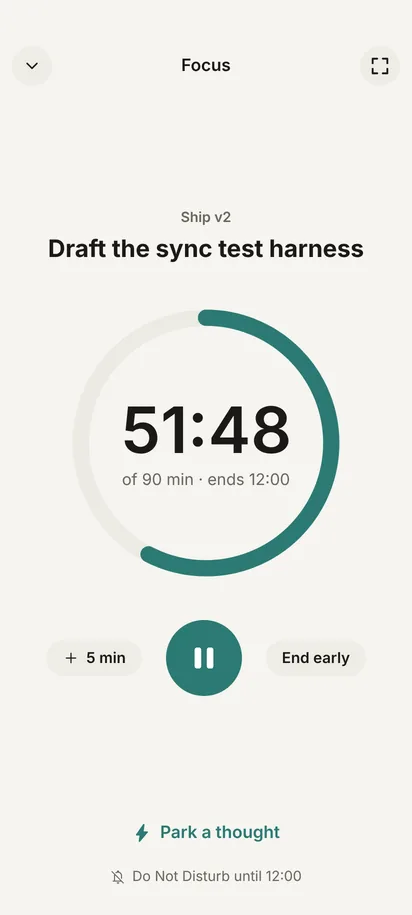
Because focus is a full screen with a timer and nothing else. A stray thought goes to the inbox in one tap and waits there until you choose to look.
01The day
How a day works.
Four steps, each aware of the one before: the goal shapes the plan, the plan picks what to start, and the focus you give is counted where it belongs.
-
01 · Map
Goals first, then everything else.
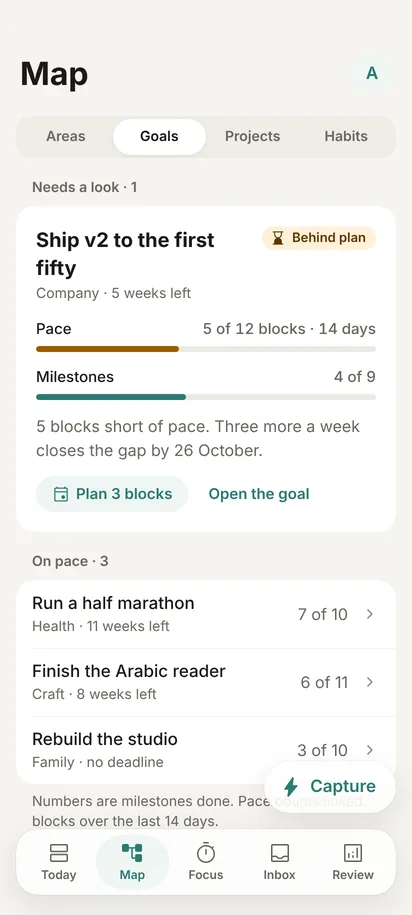
Areas of your life hold your goals; goals hold projects and habits. Nothing floats free, so when a project stalls you can see which goal it is starving, and how many blocks you are behind.
-
02 · Plan
Blocks you can finish.
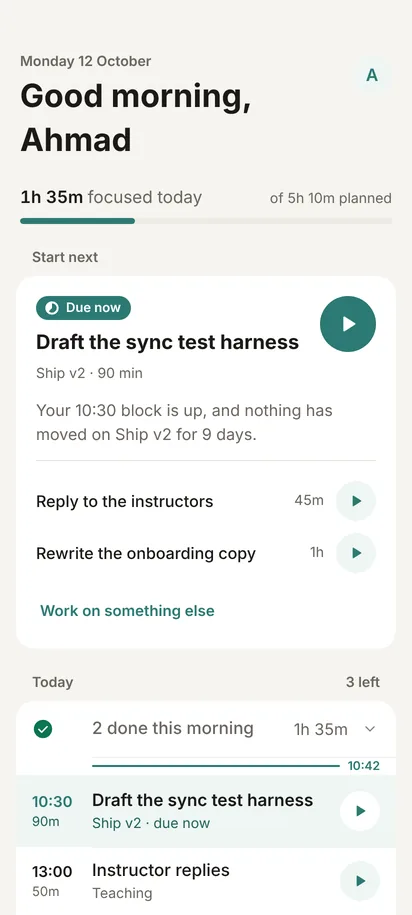
Tasks become blocks on the clock. Each morning, Today opens on the one thing to start next and why it matters now: your 10:30 block is up, and nothing has moved on Ship v2 for nine days.
-
03 · Focus
A timer and nothing else.
Do Not Disturb holds for the length of the block. If an idea interrupts, park it in the inbox and keep going. For full immersion there is Zen: the time alone, on black.
-
04 · Close
Two questions, then the next step.
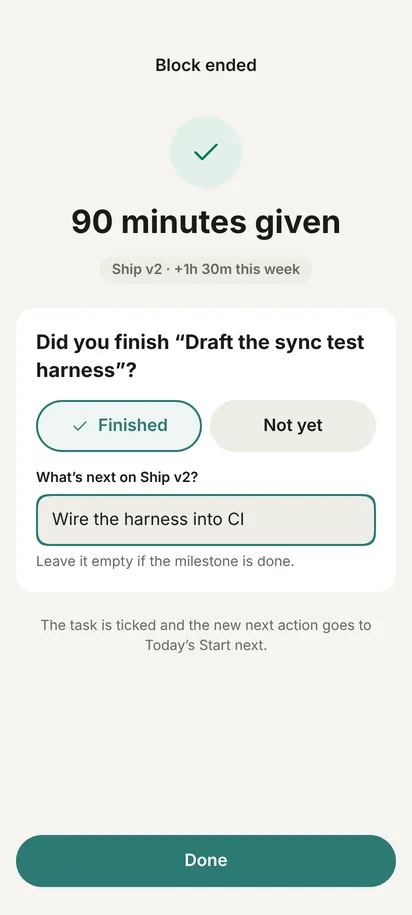
When the block ends, Qasd asks: did you finish, and what is next on this project? The task is ticked, and your answer becomes what Today suggests next time.
When the day doesn’t go to plan
Qasd asks. It doesn’t assume.
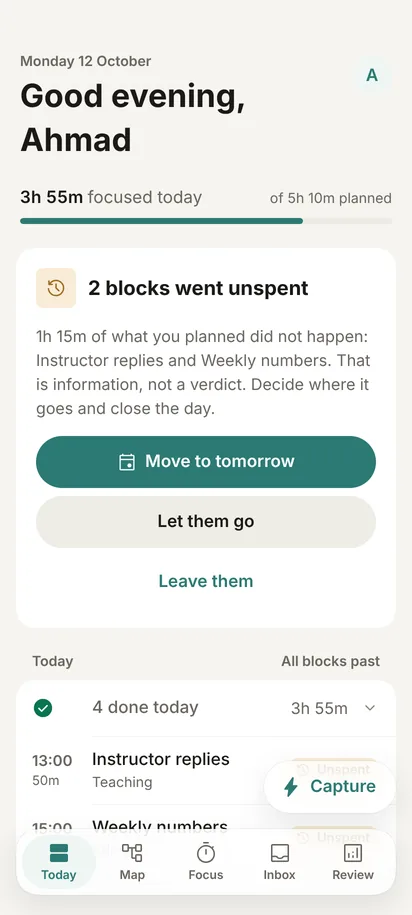
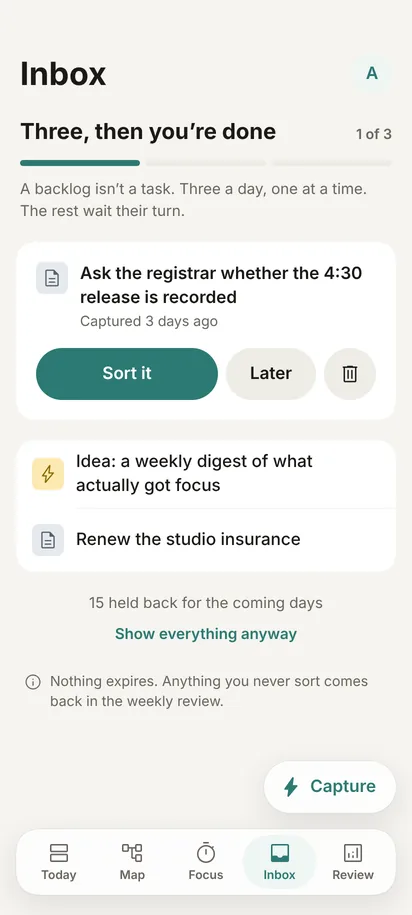
Two blocks went unspent? In the evening, Today shows what was planned and didn’t happen, as information, not a verdict: move them to tomorrow, or let them go. The inbox works the same way. Three captured thoughts a day, sorted in a minute, the rest waiting their turn. Nothing expires.
02The week
The week, honestly.
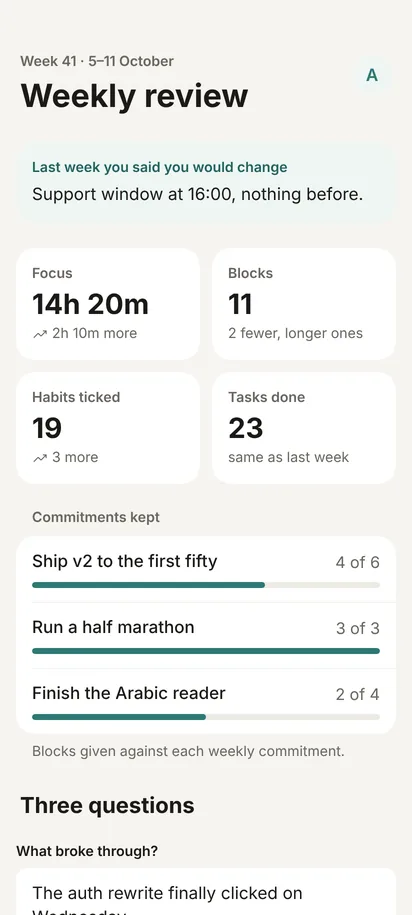
Every Sunday evening: real hours against the plan, the commitments you kept and the ones you missed, and three short questions. Where there is no data, a dash. Never a made-up number.
- Focus hours that happened, not hours that were planned.
- Every commitment with its ratio: blocks given against blocks promised.
- Three short questions about the week, answered in your own words.
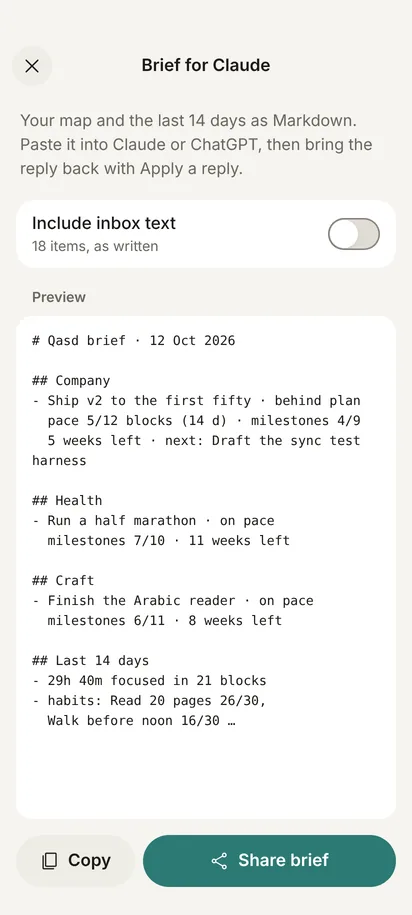
- Want a second opinion? Qasd writes a brief of your map and the last 14 days, for any AI assistant you choose to paste it into.
03Privacy
Private by design.
A plan is a map of your life: what you want, what you put off, and where your hours really go. So it stays yours.
Privacy policy- Platform
- Android
- Languages
- Arabic and English, each written natively
- Your data
- Encrypted, and synced only to your own account
- Offline
- Everything works on the phone first and syncs when you are back online
- Export
- Everything, as one file, whenever you like
- Status
- Beta, before launch on Google Play
Start with one goal.
Setup takes four screens: where your life happens, one goal worth the quarter, the project that moves it first, and the habits that hold it up. Then day one begins.